Automation
The 2-minute lead research trick sales will love 🔍
Stop sending reps to Google every new lead. Here's the n8n workflow that researches each one in about two minutes and drops a brief in the CRM.
Quick answer: lead enrichment automation fills in the missing details on a new lead (company, role, size, what they do, why they might care) the moment they arrive. Trigger a workflow from your form or CRM, look the lead up in an enrichment source and on their website, have an AI write a five-line brief, and save it to the CRM record. Sales opens the lead already knowing who they are.
A form fill arrives. It says “Jo, [email protected]”. That’s it.
A rep now opens three tabs, guesses at the company size, skims the website and writes a first line that sounds like everyone else’s. By then the lead has cooled. Multiply by every lead, every day.
 A form fill gives you two fields. Enrichment fills in the rest.
The idea 💡
Put a research assistant between the form and the CRM, so every lead lands with a short brief attached.
Why it works 🧠
Contact data goes bad fast. Landbase’s roundup puts B2B contact data decay at between 22.5% and 70.3% a year, depending on the source and the industry, and cites RevenueBase data showing monthly email decay hit 3.6% in November 2024, up from the usual 1.5 to 2.0%. Different studies measure this differently, so treat the range as a warning, not a promise. The direction is clear: what you captured last year is probably wrong now, and what a form captured a minute ago is almost empty.
Enrichment fixes both. It fills the blanks on new leads and re-checks old ones, and it does it before a human spends a minute.
Agents make the research step cheap. n8n’s AI Agent node lets you connect a chat model to tools and have it decide which tools to use to finish a task. That’s the whole trick: instead of a fixed lookup, you have something that reads a website the way a rep would.
How to do it ✍️
- Decide what sales needs to know. Five fields is plenty: what the company does, size band, the lead’s role, one recent thing worth mentioning, and a “fit” guess (high, medium, low).
- Capture the lead with at least a work email and website. The domain is your key. No domain, no research.
- Pull what you can from a source. Apollo, Clearbit-style tools, or the company’s own site. Start with free tiers and the website alone.
- Have an AI write the brief. Give it the raw data and your five fields. Tell it to write “unknown” instead of guessing.
- Write the brief into the CRM as a note and into custom fields, then ping the owner.
Here’s a template for the brief:
Company: [what they do in one line]
Size: [band] | Role: [title, seniority]
Worth mentioning: [one recent, checkable thing + source link]
Fit: [high / medium / low] because [one reason]
Opening line: [one sentence, specific to them]
Automate it ⚙️
This is a natural n8n automation job, and it works with HubSpot, Salesforce, Marketo or Dynamics as the destination.
- Trigger: a webhook from your form, or a “new contact” trigger in your CRM.
- IF node: stop if the email is a free-mail address or the domain is missing. Park those for a human.
- HTTP Request node: fetch the company homepage and the About page.
- Enrichment node (optional): call your enrichment provider for size and industry.
- AI Agent node: run the prompt below. Give it the fetched text as context.
- CRM node: update the contact with the brief and the fit score.
- Slack or email node: tell the owner, with the opening line at the top.
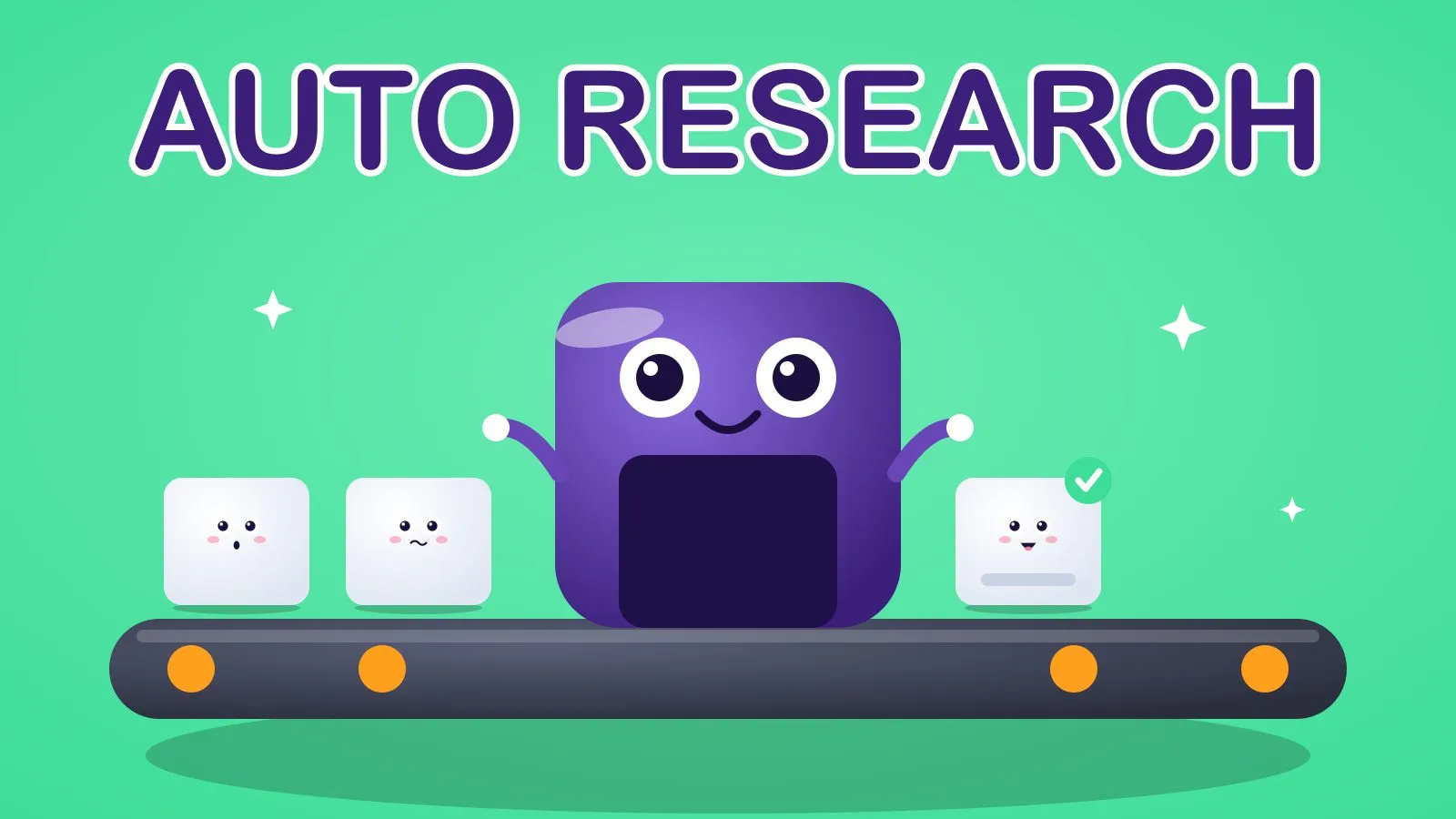 Cards go in thin. They come out with a brief attached.
Copy this into the AI step:
You are a sales researcher. Using only the text below, write a brief for a rep.
Return JSON: {"company": "", "size": "", "role": "", "worth_mentioning": "", "fit": "high|medium|low", "fit_reason": "", "opening_line": ""}
Rules: if something isn't in the text, write "unknown". Never invent facts, numbers or names. Keep every value under 25 words.
Our ideal customer: {{ $json.icp }}
Lead: {{ $json.name }}, {{ $json.title }}, {{ $json.email }}
Website text: {{ $json.site_text }}
The “never invent” line matters. An AI that guesses will confidently put the wrong company size in front of your rep. Add a human glance on anything marked high fit before it goes into outreach.
Pair it with the filter that keeps fake leads out of your CRM so you only research real people, and with lead scoring so the fit guess feeds a proper score. If you’d like a research agent that goes further, that’s what my AI agents work covers.
Quick wins to try 🧪
- 🕵️ Do the brief by hand for five leads. Time it. That’s your baseline.
- 🔁 Re-enrich your best 50 old contacts. Job changes are your easiest warm opening.
- 📮 Flag bounced emails and look up the new job. One workflow, many revived conversations.
- 🏷️ Write the fit guess to its own field. Sales can sort by it.
- 🧹 Add a “last enriched” date. Refresh anything older than six months.
- 🚫 Add “unknown” as an allowed answer. It’s the cheapest accuracy upgrade there is.
How to measure it 📊
- Research time per lead: minutes a rep spends before first contact, before and after.
- Field completeness: the percentage of new leads with company, size and role filled.
- Reply rate on first touch: leads contacted with the specific opening line versus a generic one.
Frequently Asked Questions
What is lead enrichment?
Lead enrichment is adding missing details to a lead record, such as company, role, size and industry, from external sources so sales can qualify and personalise faster.
How do I automate lead enrichment for free?
Use a self-hosted n8n workflow triggered by your form, fetch the company website, and have an AI model write a short brief into your CRM. You pay only for model calls and any enrichment provider you add.
Can AI research a lead accurately?
It can summarise what’s on a company’s website well, but it can guess when information is missing. Tell it to answer “unknown” rather than guess, and keep a human check on high-value leads.
How often should I re-enrich my contacts?
Every six months for active contacts is a sensible start, given how quickly contact data goes stale.
Two minutes of research, done for every lead, while you sleep. That’s the whole trick.
Sam
If you want this built for you, book a call.